
How to Find and Fix Broken Links on Your Website
Broken links frustrate visitors and waste crawl time. Here's how to find them, decide what each one needs, and make sure the fix sticks.
By SEO Tool OrbitUpdated November 9, 20265 min read
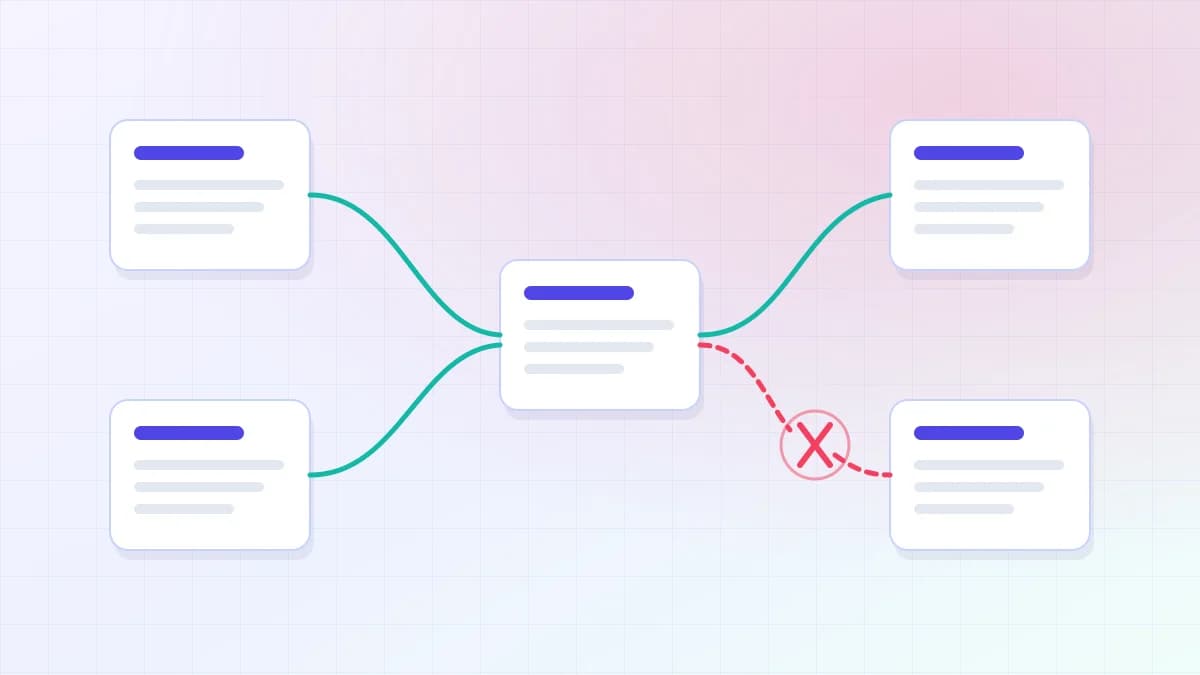
A broken link is a small thing with a large cost. A visitor who clicks one hits a dead end and often leaves. A crawler that follows one spends part of its visit on a page that doesn't exist. And an important page whose links all break can quietly drop out of sight.
In short: crawl your site to list every broken link with the page it's on, decide for each one whether to correct the link, redirect the old URL or remove the link, fix the links themselves rather than relying on redirects, and re-crawl to confirm nothing is left.
Internal versus external broken links
| Internal | External | |
|---|---|---|
| Points to | A page on your own site | Someone else's site |
| Usual cause | Renamed or deleted pages, typos, moved sections | The other site removed or moved the page |
| Fix | Update the link, or redirect the old URL | Update to the new address, link to an alternative, or remove |
| Priority | High — it's entirely in your control | Medium — check important outbound links regularly |
Other people's broken links can be an opportunity too: our link building guide explains how to offer a replacement when a useful resource disappears.
Why links break
- Changed URLs — a page was renamed or moved without a redirect.
- Deleted content — a product, post or file was removed, but links to it remained.
- Typos in hand-written links: a missing letter, an extra slash, the wrong domain.
- Relative paths that resolve differently once a page moves to another folder.
- Migrations — a new CMS, a new domain or HTTPS, with no complete redirect map.
- External changes outside your control.
Find broken links with a crawl
Checking pages by hand doesn't scale. A crawler follows every link the way a search engine would and records what each one returns. The Broken Link Checker crawls your site and reports broken links, redirect chains, timeouts and blocked links, with the page each one is on — which is what you need to fix them.
Other useful sources:
- The Page indexing report in Google Search Console, which lists URLs Google found that return "Not found (404)".
- Your server or analytics logs, filtered for 404 responses — these show which broken URLs real visitors hit.
- A full technical SEO audit, which catches broken links alongside the problems that cause them.
Where broken links hide
- Navigation and footers, where one broken link appears on every page.
- XML sitemaps that still list deleted URLs.
- Canonical tags and hreflang annotations pointing to pages that no longer exist.
- Structured data with outdated image or page URLs.
- PDFs and downloads, whose links nobody re-checks after publishing.
Decide what each broken link needs
- The page moved: update the link to the new URL, and add a permanent redirect from the old URL so outside links and bookmarks still work.
- The page was deleted, and a close replacement exists: redirect to the replacement and update your own links to point there directly.
- The page was deleted with no replacement: remove or rewrite the link. Let the old URL return 404 or 410 — that is the honest answer.
- The link was a typo: correct it. No redirect needed.
Avoid redirecting every missing page to the homepage. Visitors don't get what they wanted, and search engines often treat such redirects as "soft 404s" anyway.
Use redirects correctly
When you do redirect, use a permanent server-side redirect (301 or 308) straight to the final URL. Check for chains — A to B to C — and collapse them so A goes directly to C. The Redirect Checker traces a URL hop by hop, and on Apache servers the Htaccess Redirect Generator produces a working rule. Our guide to URLs and redirects covers the redirect types in detail.
Update internal links, don't just redirect them
A redirect keeps an old link working; it doesn't make it a good link. Every internal link that passes through a redirect costs an extra request and dilutes a clear signal. After adding redirects, update the internal links themselves — in body copy, menus, footers and templates — so they point straight at the final URL. A deliberate internal linking strategy makes this easier to maintain.
Don't forget images and resources
Links aren't only <a> elements. Images, scripts, stylesheets, PDFs and video files break too, and the symptoms are different: a missing image leaves a blank box, a missing stylesheet breaks the layout. Check your crawl for broken src attributes as well as hrefs. Broken images also hurt accessibility — see our image SEO and accessibility guide.
A worked example
Suppose a site renames its /tips/ section to /guides/, and a crawl afterwards reports 180 broken internal links. The clean-up runs in this order:
- Add one permanent redirect per old article to its new URL, not a single redirect of the whole section to
/guides/. - Update the menu link, the footer link and the "related tips" template — that clears most of the 180 links at once.
- Search the article bodies for
/tips/and update the remaining hand-written links. - Regenerate the sitemap so it lists only
/guides/URLs. - Re-crawl and confirm that no internal link points to
/tips/any more.
The redirects protect visitors arriving from outside; the link updates make the site itself clean.
Verify the fix
- Re-crawl the site and confirm the broken links are gone and no new ones appeared.
- Test changed redirects one by one with the HTTP Status Code Checker.
- In Search Console, use "Validate fix" on resolved 404 issues and watch the report over the following weeks.
- Make link checks part of your publishing routine, so new breaks are caught early.
Prevent broken links in the future
- Add a redirect at the moment you rename or remove any page.
- Use root-relative or absolute internal links rather than fragile relative paths.
- Keep a redirect map for every migration, and test it before launch.
- Schedule a crawl after each release and at least monthly.
Frequently asked questions
Do broken links hurt SEO?
A few broken outbound links won't sink a site, but broken internal links waste crawling, strand pages and create a poor experience. They are worth fixing promptly.
Should I use 404 or 410 for deleted pages?
Both tell search engines the page is gone. 410 is slightly more explicit ("gone on purpose"); either is fine. What matters is not returning 200 for a missing page.
How long should I keep redirects?
As long as practical. Google's guidance for site moves is to keep redirects for at least a year; many sites keep them indefinitely because they cost little.
Next step
Run the Broken Link Checker on your site, fix the internal links first, and add any missing redirects. Then put a monthly re-crawl in your calendar.
- #Technical SEO
- #SEO Audit
- #Redirects
Related reading
Technical SEO
How to Perform a Technical SEO Audit Step by Step
A technical audit answers one question: can search engines reach, understand and index your important pages? Here is the order to check things in, and what to fix first.
6 min read
Technical SEO
How to Create SEO-Friendly URLs and Website Redirects
Good URLs are readable and stable; good redirects keep old links working when URLs must change. Here's how to get both right, including during migrations.
5 min read
AI & SEO
Internal Linking Strategy: Build Topic Clusters That Make Sense
Internal links tell readers where to go next and tell search engines how your pages relate. Here's how to plan them as topic clusters instead of adding them at random.
5 min read

Website Optimization
How to Optimize Images for SEO, Accessibility, and Speed
Image SEO is mostly careful HTML. Here's how to mark up images so they load fast, describe themselves to screen readers, and can be found in image search.
5 min read